User Guide for FreeRTOS Debugging Support in OpenOCD
By updating your Nuclei Studio IDE to version 202502 and downloading sdk-nuclei_sdk 0.7.1, together with the modifications described below, you can debug FreeRTOS using OpenOCD.
Environment Preparation
Nuclei Studio:
Nuclei OpenOCD:
- The OpenOCD bundled with NucleiStudio 202502 is sufficient.
Usage Steps
Step 1: Create the Original Project
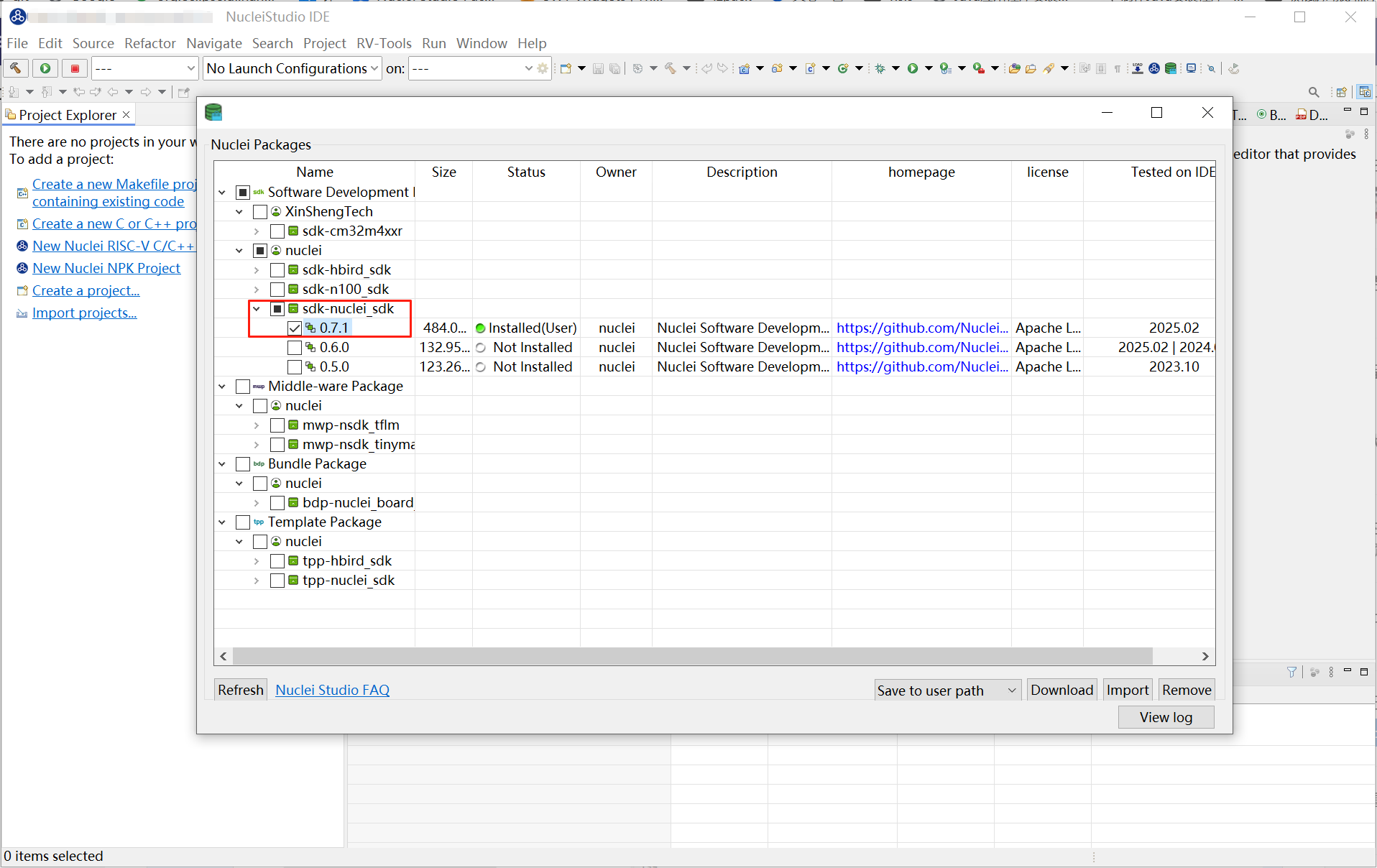
Download sdk-nuclei_sdk version 0.7.1 in NucleiStudio IDE.
Create a 900 project, as shown below.
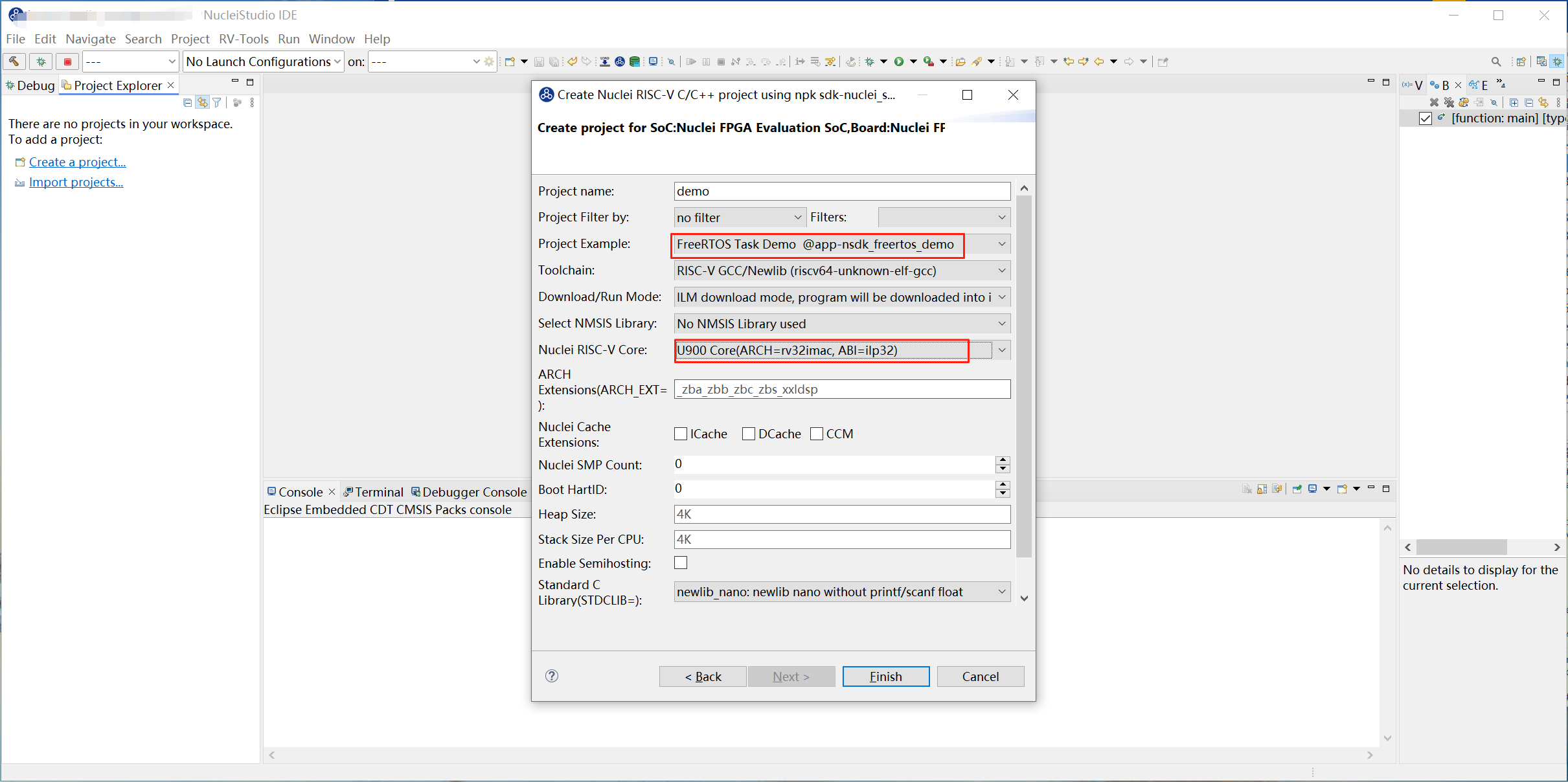
Program the corresponding bitstream to the development board. In this guide, we use u900_best_config_ku060_50M_c1dd7f44af_915aefa97_202504141013_v4.1.0.bit.
Step 2: Modify the portmacro.h Content
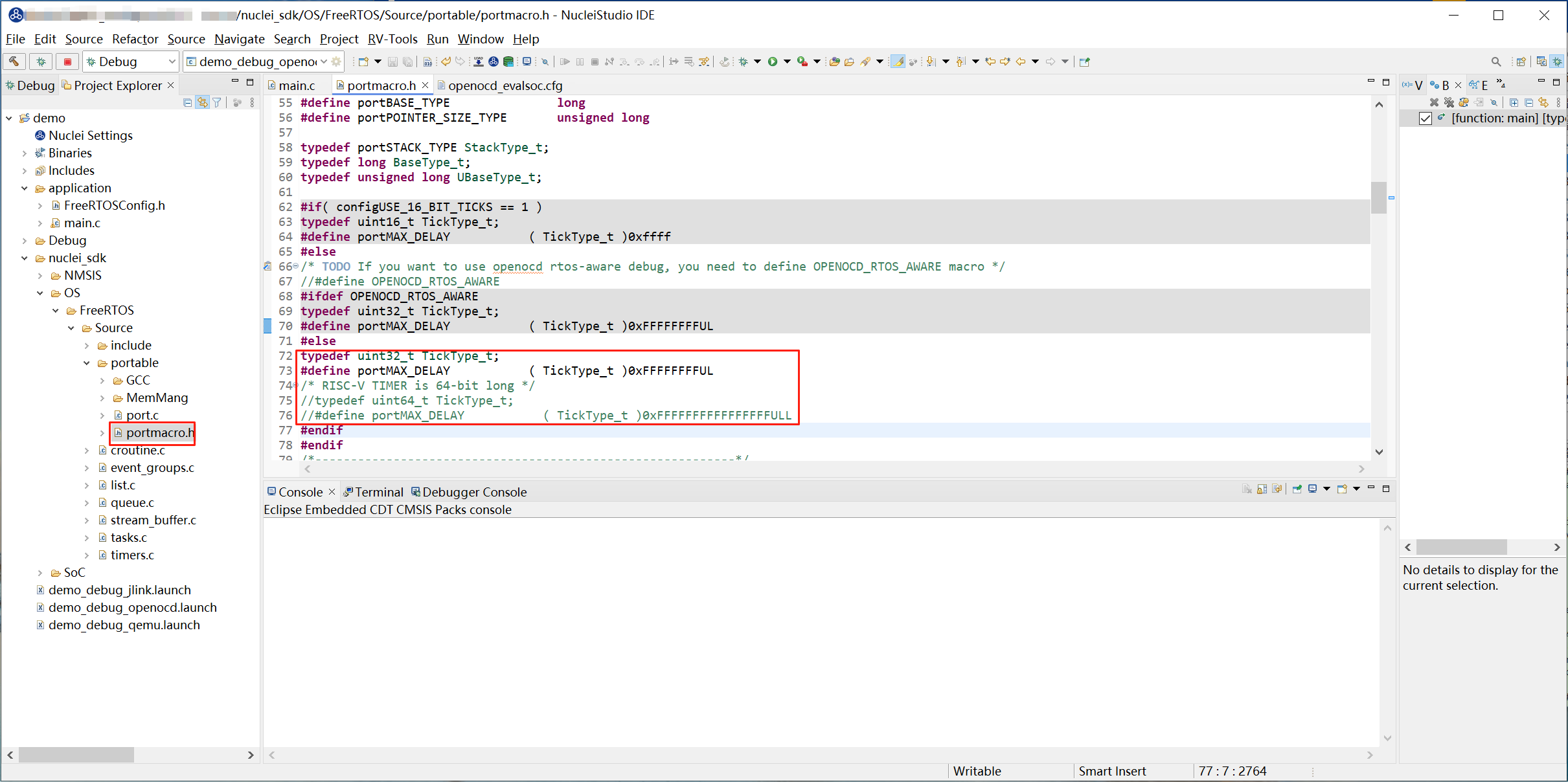
After the project is created, locate nuclei_sdk\OS\FreeRTOS\Source\portable\portmacro.h and modify the file content as follows:
typedef uint32_t TickType_t;
#define portMAX_DELAY           ( TickType_t )0xFFFFFFFFUL
/* RISC-V TIMER is 64-bit long */
//typedef uint64_t TickType_t;
//#define portMAX_DELAY           ( TickType_t )0xFFFFFFFFFFFFFFFFULL
Step 3: Modify the openocd_evalsoc.cfg Content
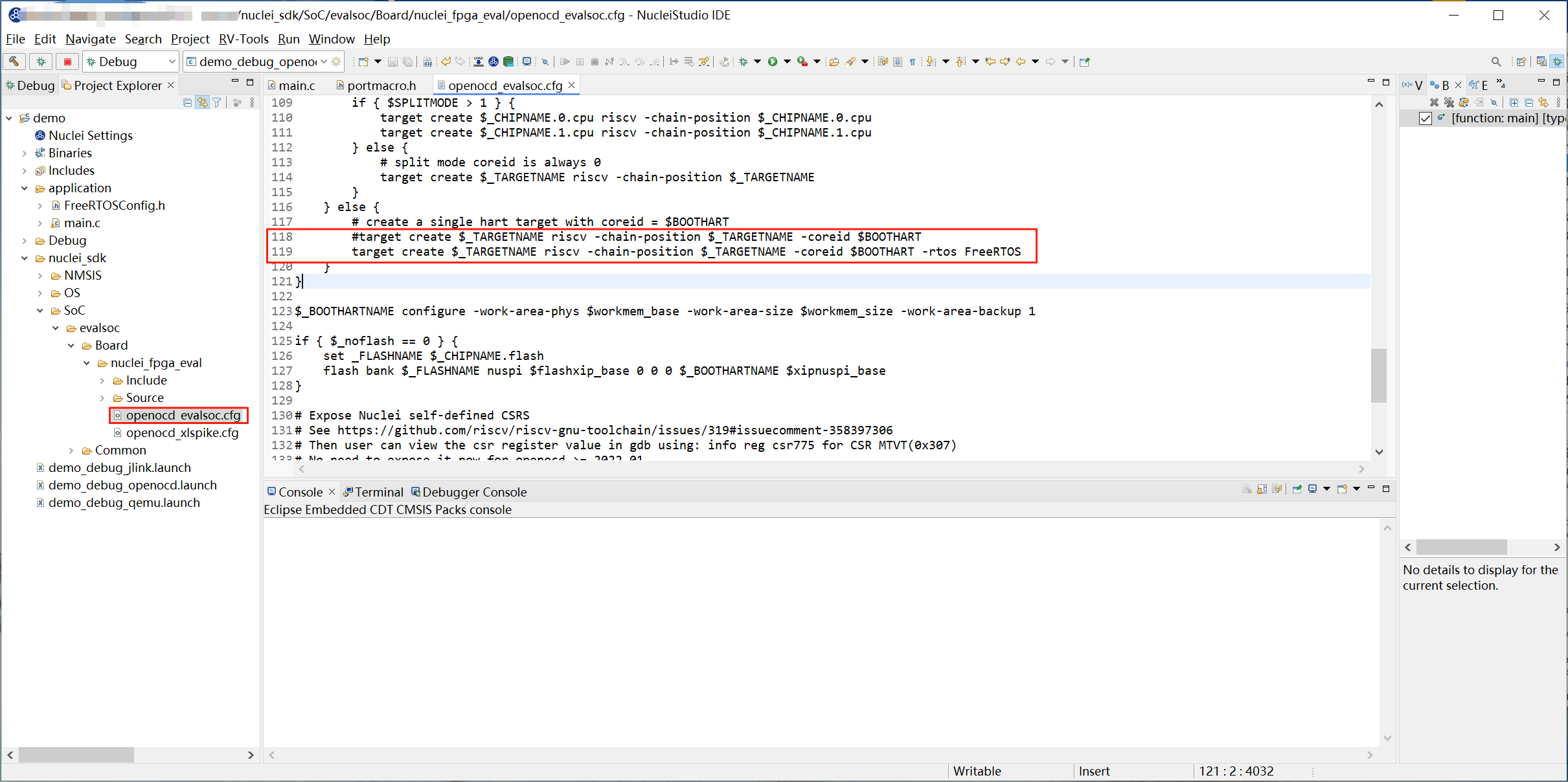
Locate nuclei_sdk/SoC/evalsoc/Board/nuclei_fpga_eval/openocd_evalsoc.cfg and modify line 118:
target create $_TARGETNAME riscv -chain-position $_TARGETNAME -coreid $BOOTHART -rtos FreeRTOS
Step 4: Debug the Project with OpenOCD
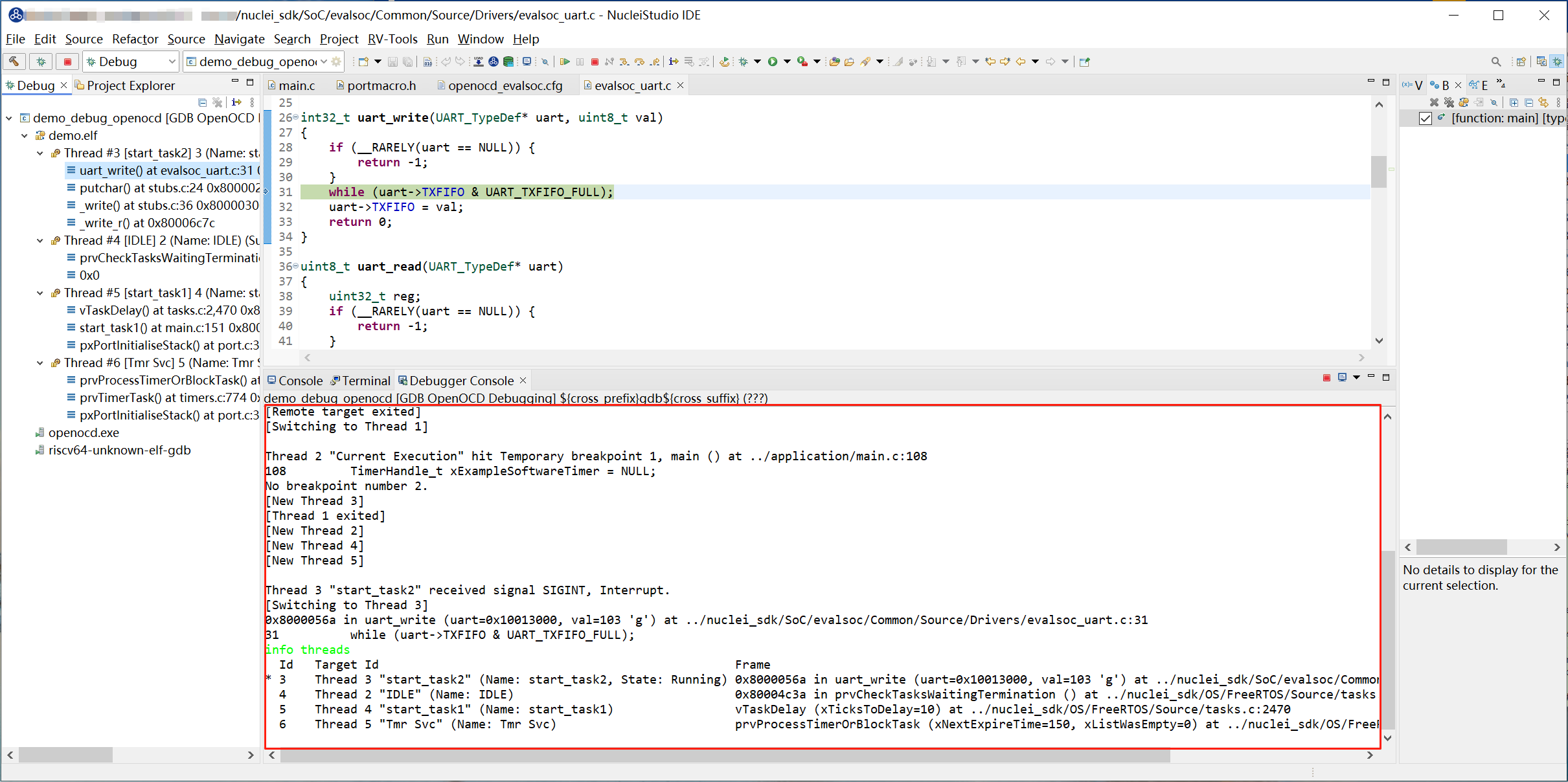
Run the program in Debug mode and open the Debugger Console view.
In the Debugger Console view, type info threads and press Enter.
Usage Notes
Currently only FreeRTOS is supported; Zephyr, ThreadX, and UCOSII are not supported.