Guide to Using the Nuclei Cross-Trigger Feature in OpenOCD
Feature Overview
To meet the need for synchronized halt and resume in AMP multicore debugging, the Nuclei RISC-V CPU implements the cross-trigger feature. OpenOCD has integrated the following two synchronization control features:
- Synchronized Halt Group (halt_group) - When any core in the group halts, all other members automatically halt in sync
- Synchronized Resume Group (resume_group) - When any core in the group resumes execution, all other members automatically resume in sync
Basic command format:
# add target to halt_group
nuclei cti halt_group on $_TARGETNAME0 $_TARGETNAME1

# remove target from halt_group
nuclei cti halt_group off $_TARGETNAME0 $_TARGETNAME1

# add target to resume_group
nuclei cti resume_group on $_TARGETNAME0 $_TARGETNAME1

# remove target from resume_group
nuclei cti resume_group off $_TARGETNAME0 $_TARGETNAME1
Configuration File Examples
1. Synchronized Halt Group Configuration
adapter_khz     1000

interface ftdi
ftdi_vid_pid 0x0403 0x6010
ftdi_oscan1_mode off

transport select jtag

ftdi_layout_init 0x0008 0x001b
ftdi_layout_signal nSRST -oe 0x0020 -data 0x0020
ftdi_layout_signal TCK -data 0x0001
ftdi_layout_signal TDI -data 0x0002
ftdi_layout_signal TDO -input 0x0004
ftdi_layout_signal TMS -data 0x0008
ftdi_layout_signal JTAG_SEL -data 0x0100 -oe 0x0100

set _CHIPNAME0 riscv0
jtag newtap $_CHIPNAME0 cpu -irlen 5 -expected-id 0x10900a6d
set _TARGETNAME0 $_CHIPNAME0.cpu
target create $_TARGETNAME0 riscv -chain-position $_TARGETNAME0 -coreid 0

set _CHIPNAME1 riscv1
jtag newtap $_CHIPNAME1 cpu -irlen 5 -expected-id 0x10900a6d
set _TARGETNAME1 $_CHIPNAME1.cpu
target create $_TARGETNAME1 riscv -chain-position $_TARGETNAME1 -coreid 0

init
#reset

if {[ info exists pulse_srst]} {
  ftdi_set_signal nSRST 0
  ftdi_set_signal nSRST z
}

# add targets to the halt group
nuclei cti halt_group on $_TARGETNAME0 $_TARGETNAME1

foreach t [target names] {
  targets $t
  halt
}
2. Synchronized Resume Group Configuration
adapter_khz     1000

interface ftdi
ftdi_vid_pid 0x0403 0x6010
ftdi_oscan1_mode off

transport select jtag

ftdi_layout_init 0x0008 0x001b
ftdi_layout_signal nSRST -oe 0x0020 -data 0x0020
ftdi_layout_signal TCK -data 0x0001
ftdi_layout_signal TDI -data 0x0002
ftdi_layout_signal TDO -input 0x0004
ftdi_layout_signal TMS -data 0x0008
ftdi_layout_signal JTAG_SEL -data 0x0100 -oe 0x0100

set _CHIPNAME0 riscv0
jtag newtap $_CHIPNAME0 cpu -irlen 5 -expected-id 0x10900a6d
set _TARGETNAME0 $_CHIPNAME0.cpu
target create $_TARGETNAME0 riscv -chain-position $_TARGETNAME0 -coreid 0

set _CHIPNAME1 riscv1
jtag newtap $_CHIPNAME1 cpu -irlen 5 -expected-id 0x10900a6d
set _TARGETNAME1 $_CHIPNAME1.cpu
target create $_TARGETNAME1 riscv -chain-position $_TARGETNAME1 -coreid 0

init
#reset

if {[ info exists pulse_srst]} {
  ftdi_set_signal nSRST 0
  ftdi_set_signal nSRST z
}

# add target to resume_group
nuclei cti resume_group on $_TARGETNAME0 $_TARGETNAME1

foreach t [target names] {
  targets $t
  halt
}
Command-Line Verification Steps
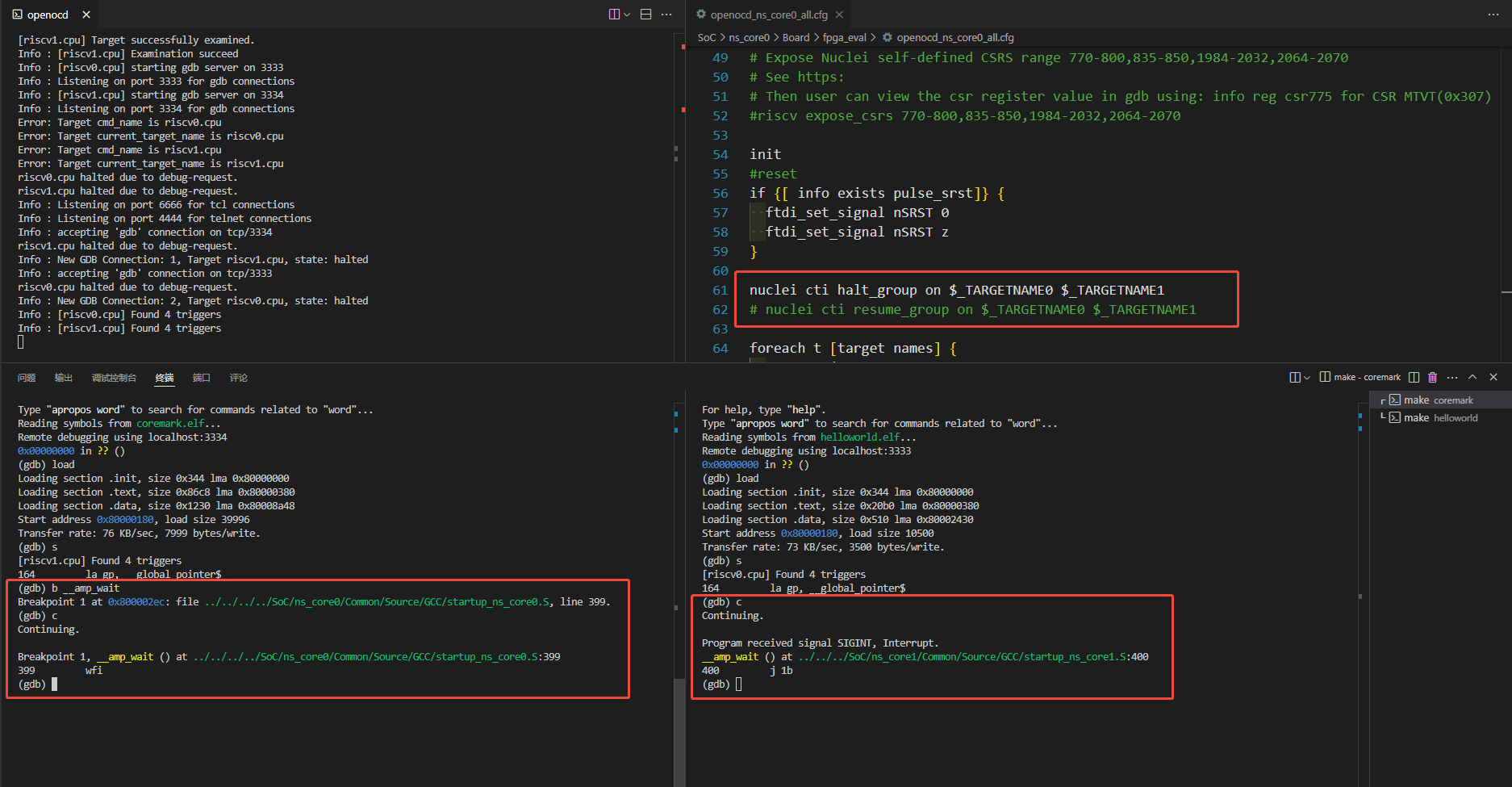
1. Synchronized Halt Group Verification
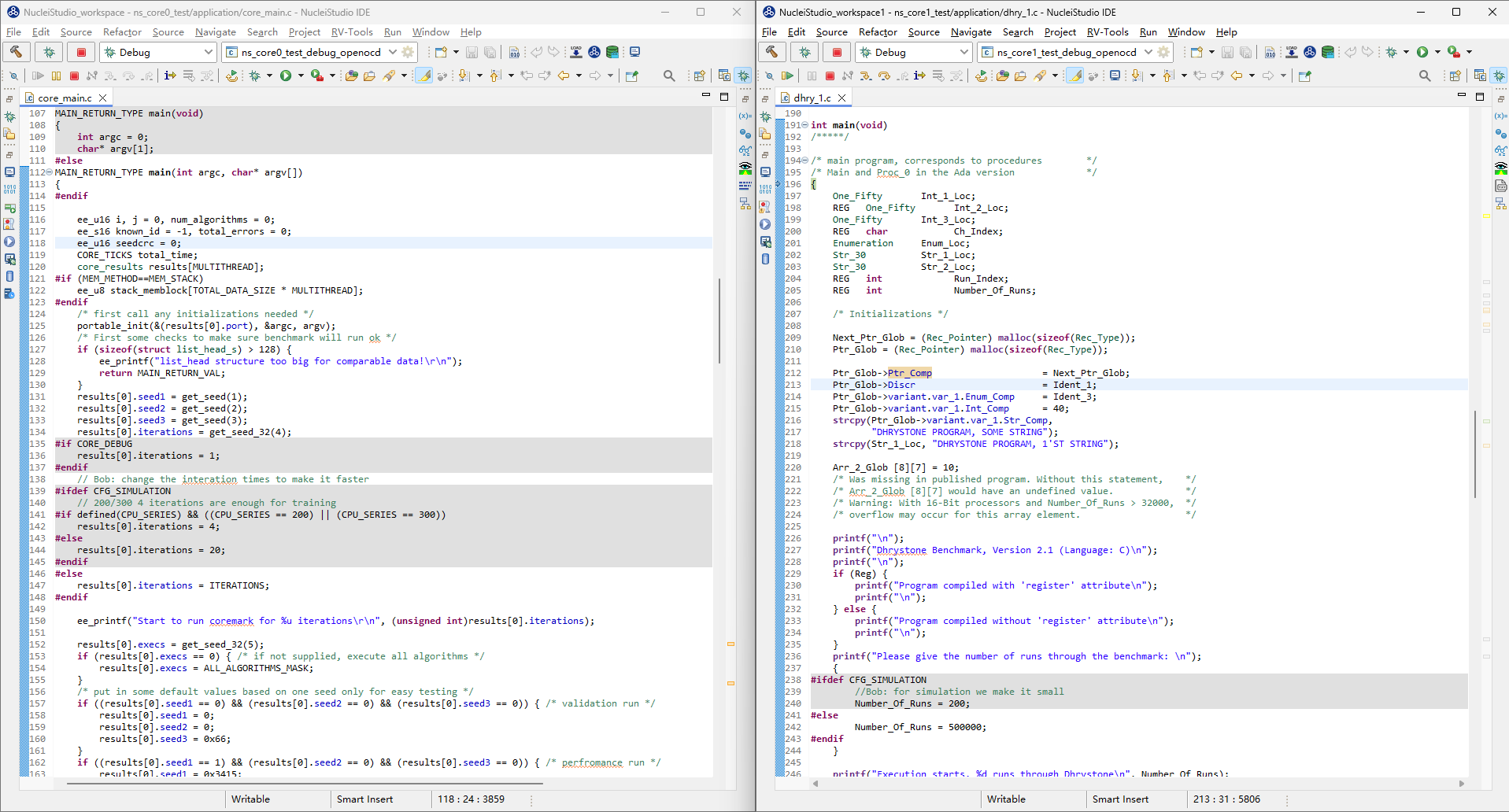
- Targets have been added to the
halt_groupin the configuration file - Load different firmware onto the two cores
- Set a breakpoint only in the
__amp_wait()function of core0 - Execution flow: resume core1 first, then resume core0
- Expected result: when core0 hits the breakpoint and halts, core1 halts in sync
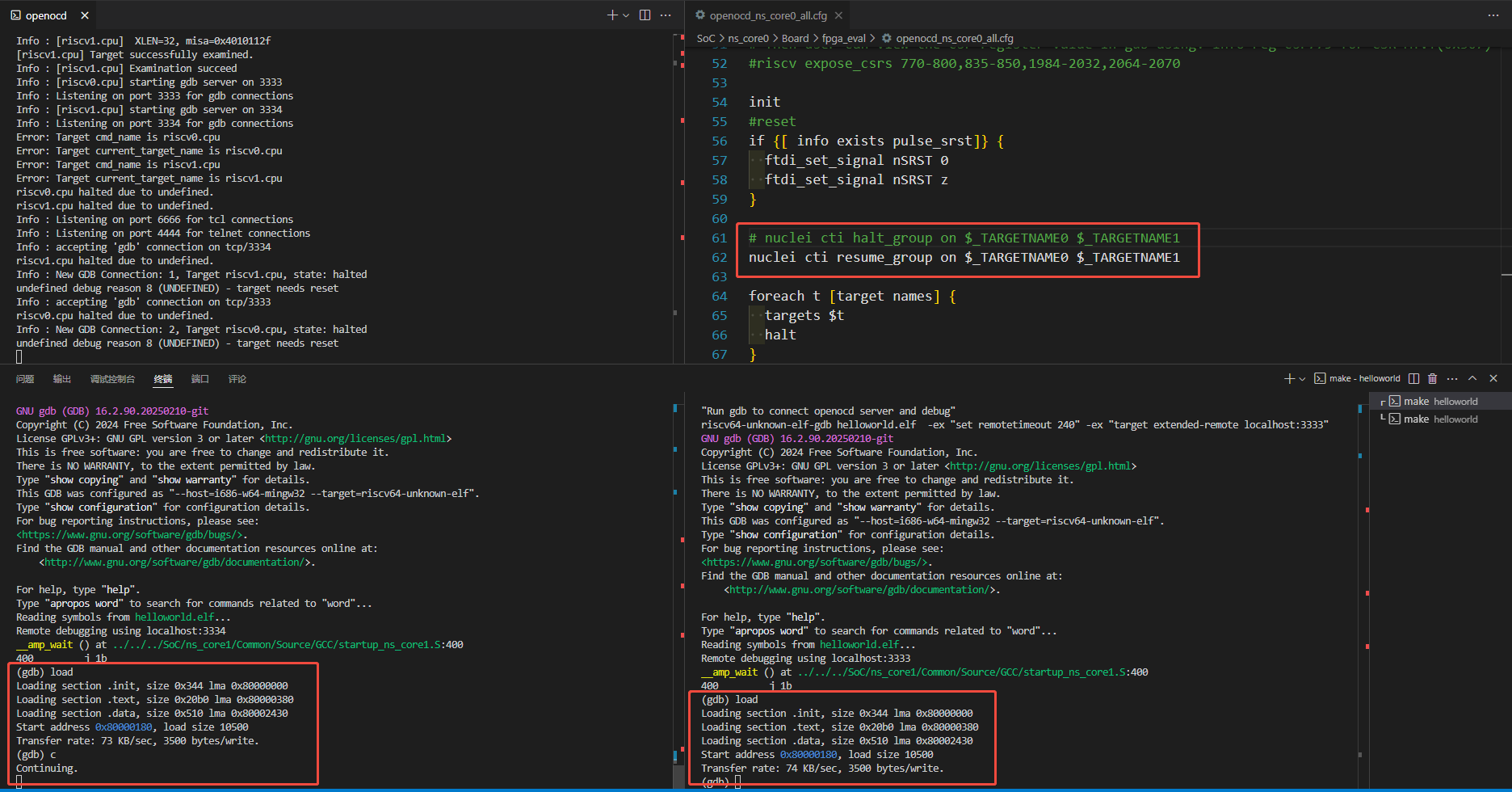
2. Synchronized Resume Group Verification
- Targets have been added to the
resume_groupin the configuration file - Load the same helloworld firmware onto both cores
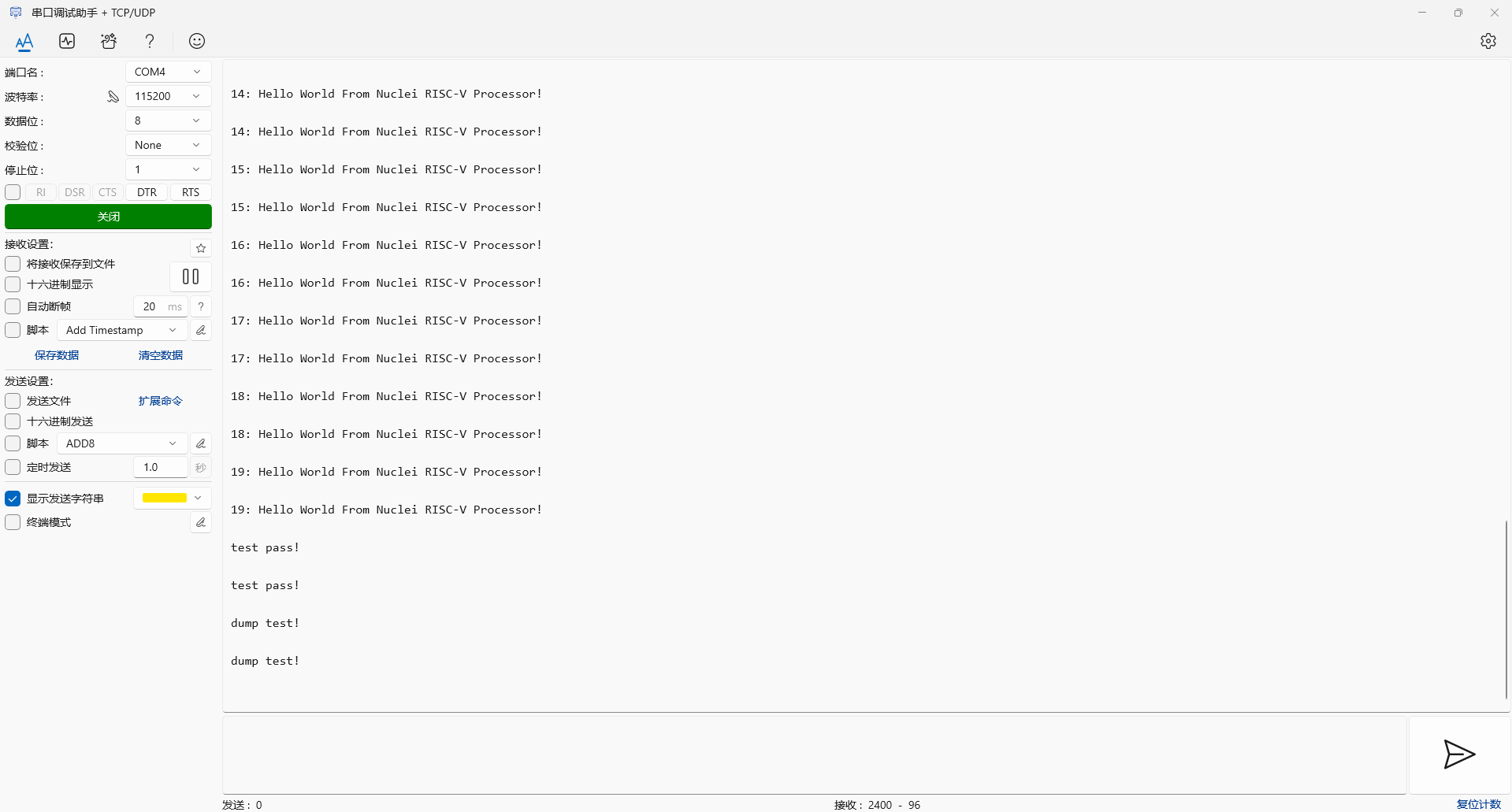
- Send the continue/resume command to core0 only:
- Expected result: the serial port output shows both cores running simultaneously
IDE Verification Steps
1. Synchronized Halt Group Verification
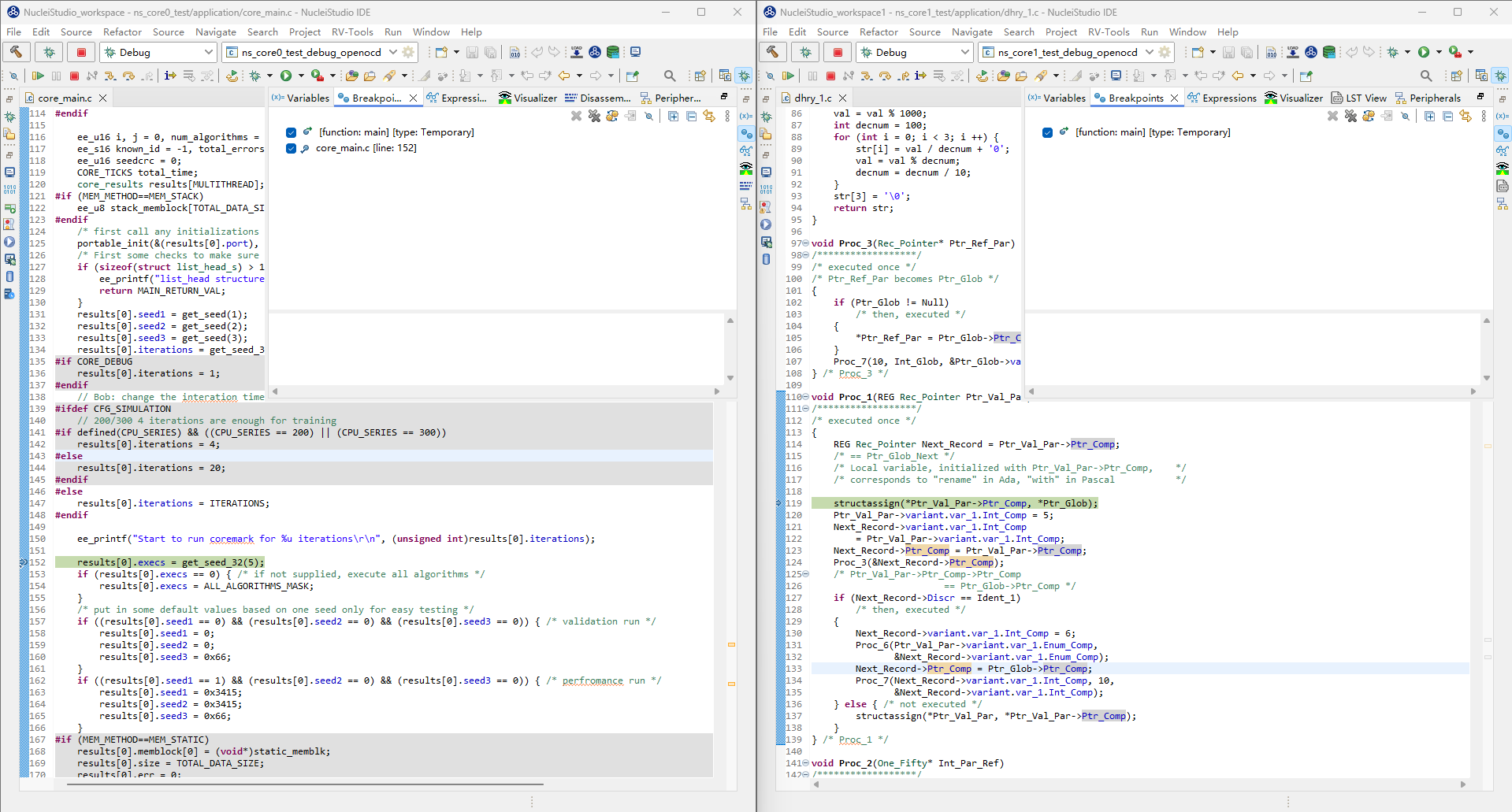
halt_grouphas been configured in the configuration file- Load different firmware onto the two cores
- Set a breakpoint at line 152 of
core_main.cin core0 - Operation sequence:
- Start core1 first
- Then start core0
- Expected result: when core0 hits the breakpoint, core1 halts in sync
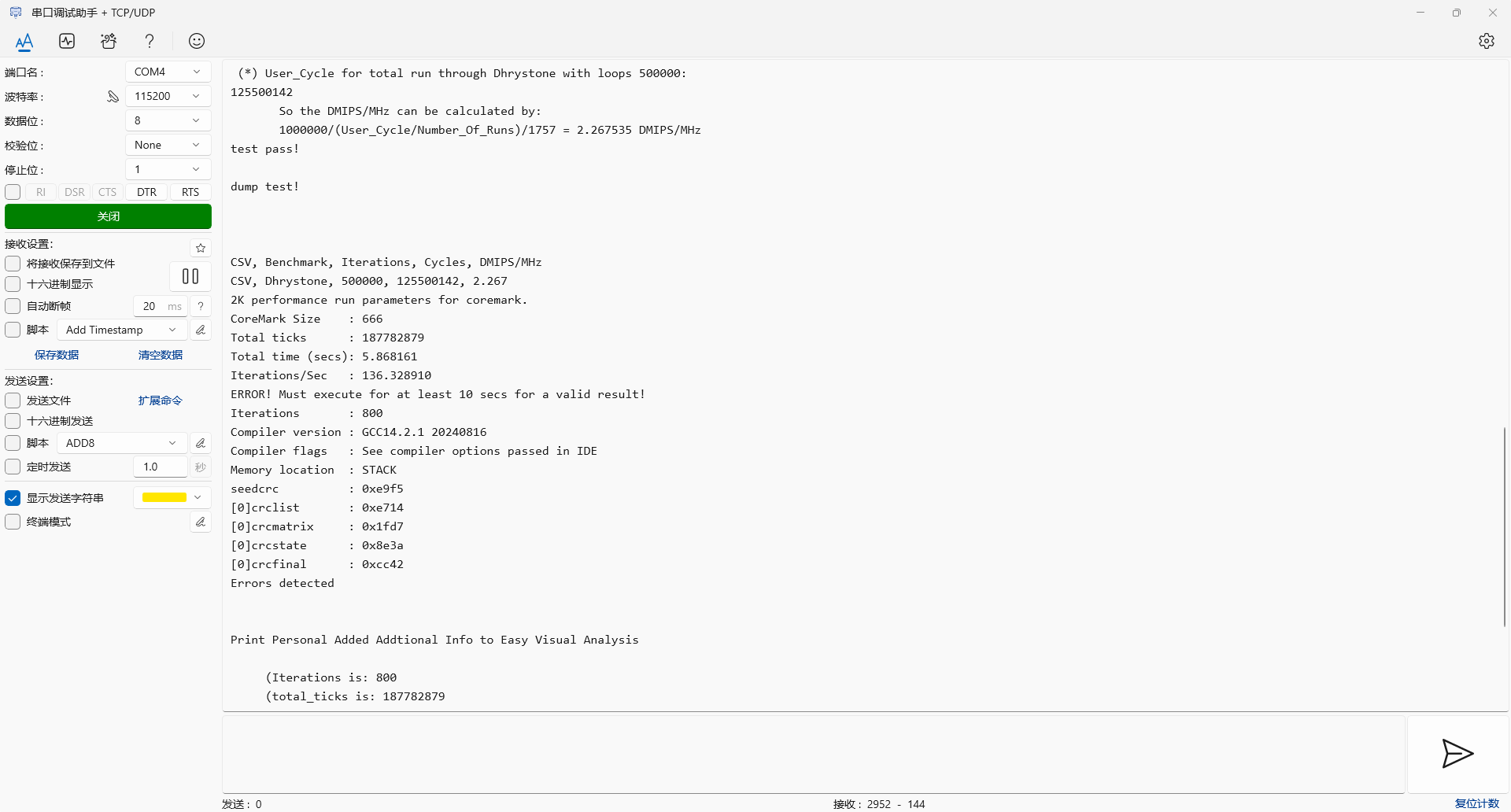
2. Synchronized Resume Group Verification
resume_grouphas been configured in the configuration file- Load different firmware onto the two cores
- Start core0 only
- Expected result: the serial port output shows both cores running simultaneously