UnsatisfiedLinkError of swt-win32-4965r8.dll on Windows 7
Problem Description
When using NucleiStudio 2024.06 on Windows 7 or Windows 8, users find that it fails to start. The following error can be seen in the log files under the NucleiStudio\configuration directory:
!ENTRY org.eclipse.osgi 4 0 2024-07-16 10:41:57.010
!MESSAGE Application error
!STACK 1
java.lang.UnsatisfiedLinkError: Could not load SWT library. Reasons:
    C:\NucleiStudio\configuration\org.eclipse.osgi\492\0\.cp\swt-win32-4965r11.dll: 找不到指定的程序。
    no swt-win32 in java.library.path: C:\NucleiStudio;C:\Windows\Sun\Java\bin;C:\Windows\system32;C:\Windows;C:/NucleiStudio//plugins/org.eclipse.justj.openjdk.hotspot.jre.full.win32.x86_64_21.0.3.v20240426-1530/jre/bin/server;C:/NucleiStudio//plugins/org.eclipse.justj.openjdk.hotspot.jre.full.win32.x86_64_21.0.3.v20240426-1530/jre/bin;C:\Java\JCDK3.0.4_ClassicEdition\bin;C:\Java\jdk1.6.0_26\bin;C:\Java\jdk1.6.0_26\lib;C:\Windows\system32;C:\Windows;C:\Windows\System32\Wbem;C:\Windows\System32\WindowsPowerShell\v1.0\;C:\Program Files\TortoiseSVN\bin;C:\Program Files (x86)\Microsoft SQL Server\90\Tools\binn\;D:\Python25;C:\NucleiStudio;;.
    no swt in java.library.path: C:\NucleiStudio;C:\Windows\Sun\Java\bin;C:\Windows\system32;C:\Windows;C:/NucleiStudio//plugins/org.eclipse.justj.openjdk.hotspot.jre.full.win32.x86_64_21.0.3.v20240426-1530/jre/bin/server;C:/NucleiStudio//plugins/org.eclipse.justj.openjdk.hotspot.jre.full.win32.x86_64_21.0.3.v20240426-1530/jre/bin;C:\Java\JCDK3.0.4_ClassicEdition\bin;C:\Java\jdk1.6.0_26\bin;C:\Java\jdk1.6.0_26\lib;C:\Windows\system32;C:\Windows;C:\Windows\System32\Wbem;C:\Windows\System32\WindowsPowerShell\v1.0\;C:\Program Files\TortoiseSVN\bin;C:\Program Files (x86)\Microsoft SQL Server\90\Tools\binn\;D:\Python25;C:\NucleiStudio;;.
    C:\Users\username\.swt\lib\win32\x86_64\swt-win32-4965r11.dll: 找不到指定的程序。
    Can't load library: C:\Users\username\.swt\lib\win32\x86_64\swt-win32.dll
    Can't load library: C:\Users\username\.swt\lib\win32\x86_64\swt.dll
    C:\Users\username\.swt\lib\win32\x86_64\swt-win32-4965r11.dll: 找不到指定的程序。

    at org.eclipse.swt.internal.Library.loadLibrary(Library.java:345)
    at org.eclipse.swt.internal.Library.loadLibrary(Library.java:254)
    at org.eclipse.swt.internal.C.<clinit>(C.java:19)
    at org.eclipse.swt.internal.win32.STARTUPINFO.<clinit>(STARTUPINFO.java:42)
    at org.eclipse.swt.widgets.Display.<clinit>(Display.java:149)
    at org.eclipse.ui.internal.Workbench.createDisplay(Workbench.java:721)
    at org.eclipse.ui.PlatformUI.createDisplay(PlatformUI.java:185)
    at org.eclipse.ui.internal.ide.application.IDEApplication.createDisplay(IDEApplication.java:182)
    at org.eclipse.ui.internal.ide.application.IDEApplication.start(IDEApplication.java:125)
    at org.eclipse.equinox.internal.app.EclipseAppHandle.run(EclipseAppHandle.java:208)
    at org.eclipse.core.runtime.internal.adaptor.EclipseAppLauncher.runApplication(EclipseAppLauncher.java:143)
    at org.eclipse.core.runtime.internal.adaptor.EclipseAppLauncher.start(EclipseAppLauncher.java:109)
    at org.eclipse.core.runtime.adaptor.EclipseStarter.run(EclipseStarter.java:439)
    at org.eclipse.core.runtime.adaptor.EclipseStarter.run(EclipseStarter.java:271)
    at java.base/jdk.internal.reflect.DirectMethodHandleAccessor.invoke(DirectMethodHandleAccessor.java:103)
    at java.base/java.lang.reflect.Method.invoke(Method.java:580)
    at org.eclipse.equinox.launcher.Main.invokeFramework(Main.java:668)
    at org.eclipse.equinox.launcher.Main.basicRun(Main.java:605)
    at org.eclipse.equinox.launcher.Main.run(Main.java:1481)
Note
The version number in the SWT library file name (e.g., swt-win32-4965r8.dll, swt-win32-4965r11.dll) depends on the Eclipse/SWT plugin version bundled with each Nuclei Studio release. Different IDE versions ship with different SWT plugin versions, so the exact DLL name in your log may differ from the one in the title of this document.
This is because Eclipse 2024.06 uses certain features that have specific operating system requirements. For details, refer to https://github.com/eclipse-platform/eclipse.platform.swt/issues/1252
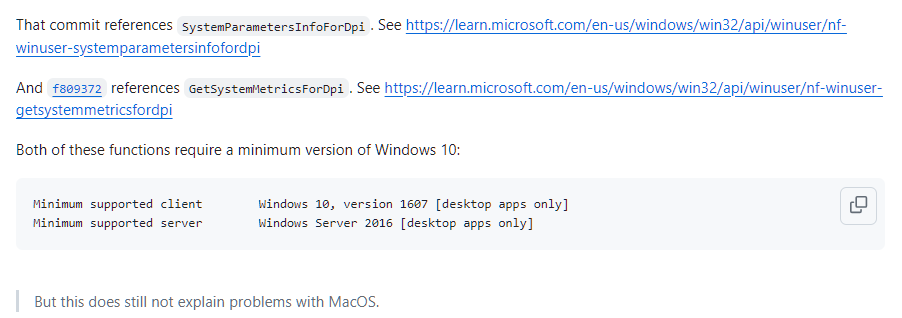
In addition, the official Eclipse documentation states that the operating systems against which Eclipse is tested no longer include compatibility for certain OS versions. For details, refer to https://eclipse.dev/eclipse/development/plans/eclipse_project_plan_4_32.xml#target_environments

Since NucleiStudio 2024.06 is based on Eclipse 2024.06, it is affected by the same type of issue.
Solution
Please use NucleiStudio 2024.06 on Windows 10 or later.
If you want to use NucleiStudio on older operating systems such as Windows 7 or Windows 8, consider using NucleiStudio 2024.02 or an earlier version.